Your mileage log is the record that backs up your biggest tax deduction as a delivery driver. To make it IRS-proof, write down the date, the business miles, where you drove and why, at or near the time you drive. Do it every shift, or at least every week, and keep your own log instead of relying only on the numbers DoorDash, Uber Eats or Amazon Flex send you at tax time.
Key points
- For each workday, log the date, business miles (or odometer readings), the area you drove and the purpose
- A log kept daily or weekly counts as “timely”; a log rebuilt months later is much weaker in an audit
- App tax summaries often miss business miles, so your own log usually gives a bigger, better-supported deduction
Why your mileage log matters so much
As a delivery driver you are an independent contractor. You can deduct your business miles at the IRS standard rate: 72.5 cents per mile for miles driven from January 1 to June 30, 2026, and 76 cents per mile from July 1, 2026. We explain the rate change in our guide to the IRS mileage rate for 2026.
The rate only helps you if you can prove the miles. IRS Publication 463 says you cannot deduct amounts you approximate or estimate. If you are audited and have no log, the IRS can disallow the deduction, and you then owe more income tax, more self-employment tax, and possibly penalties and interest.
What an IRS-proof mileage log must show
Publication 463 asks for “adequate records”: a written record (paper or electronic) supported by evidence. For car use, your log should show:
- Date of each workday or trip
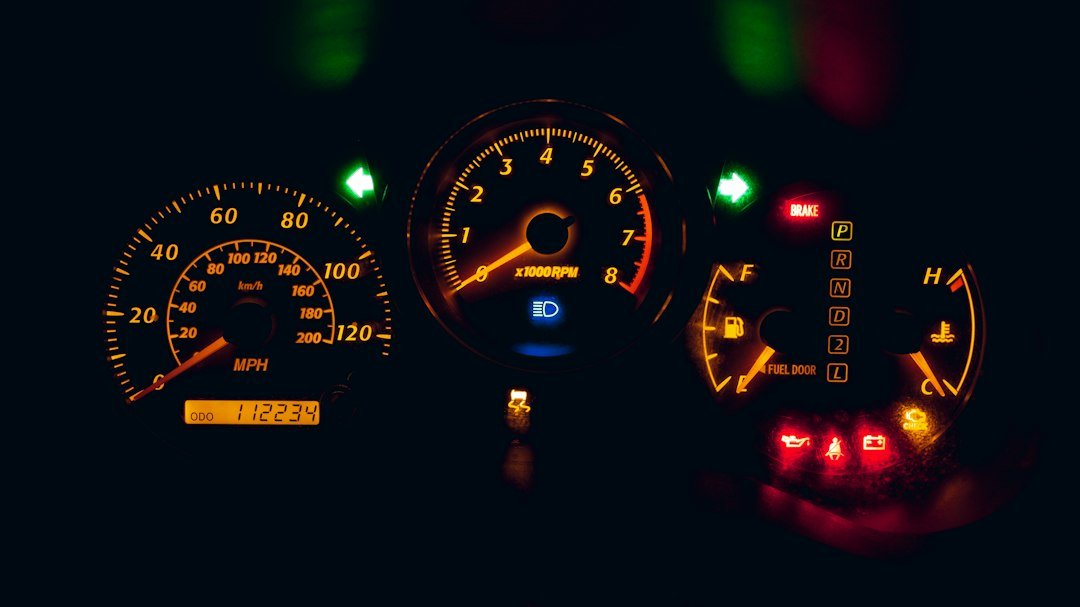
- Business miles for that day, either as a total or as start and end odometer readings
- Place: the area or route you drove, for example “Uber Eats deliveries, north Phoenix”
- Business purpose: which app or apps you were working for
- Total miles for the year: your odometer reading on January 1 (or the day you started) and on December 31
You also need to split your year’s miles into business, commuting and personal. Schedule C asks for these numbers in Part IV, or Form 4562 asks for them in some cases.
“At or near the time”: what timely means
The IRS gives more weight to a record kept when you drive than to a statement written later, because memory fades. Publication 463 says a log kept weekly that accounts for the week’s use counts as a timely record. So you do not need to stop after every order, but you should not wait until April either.
A simple habit works: note your odometer when you start your shift and when you end it, and write one line in your log before you go to bed. On Sunday, check that every workday of the week is there.
Three ways to track your miles
1. A paper notebook in the car
A cheap notebook in the glove box is fully acceptable. Write the date, the start and end odometer readings, the apps you used and any personal detours. It never runs out of battery, but it takes discipline, and you will have to add up the totals yourself.
2. A spreadsheet
A spreadsheet with one row per day is easy to total and to split between the two 2026 rate periods. Fill it in from your odometer notes each evening. Keep a backup copy in the cloud so you do not lose a year of records with your phone or laptop.
3. A mileage app
A GPS mileage app records trips automatically and dates them for you, which makes the log timely by design. Check that you can export the log, that personal trips can be marked, and that the app keeps your data for several years. The free Driver Helper USA app keeps a dated mileage log, shows your deduction and helps you set money aside for taxes.
Don’t rely only on the app’s tax summary
Delivery platforms usually give you a yearly summary that includes miles. These numbers are a useful check, but they may not match the miles you can deduct.
- Uber says the business miles on its tax summary include miles driven while waiting for a request, miles driven to the pickup and on-trip miles, and that the summary is not an official tax document.
- Other apps may count only the miles from accepting an order to completing it, which leaves out driving between orders.
- No app knows about miles you drive for work while it is closed, such as a trip to buy an insulated bag or a phone mount.
If you work for two or three apps at once, adding up their summaries can also count the same mile twice. One log of your own, kept by date, avoids both problems.
Worked examples with real numbers
Example 1: a day of odometer notes
Keisha delivers for DoorDash and Instacart. On Monday her odometer reads 48,210 when she starts and 48,392 when she finishes: 182 miles. She stopped at the gym on the way home, a 12-mile personal detour.
- 182 − 12 = 170 business miles on Monday
- At 76 cents per mile (October 2026): 170 × $0.76 = $129.20 of deduction for one day
Over a five-day week at a similar pace, that is about 850 business miles and $646 of deduction. Five minutes of notes per day protects that amount.
Example 2: the miles the app misses
Carlos drove 1,450 business miles in October 2026 according to his own log, but one app’s summary shows only 1,100 miles with an active order. The 350-mile gap is the driving between orders and back to busy zones.
- 350 × $0.76 = $266 of extra deduction in one month
- Over the six months from July to December at the same pace: 6 × $266 = $1,596
Because the deduction lowers both income tax and self-employment tax, missing those miles can cost a driver several hundred dollars. You can test your own numbers with our free mileage and profit calculators.
Which miles to log, and which to leave out
Log the miles you drive to do the work: to the restaurant, store or warehouse, from the pickup to the customer, and between orders while you are working. Trips to buy supplies for the job count too.
Leave out personal trips, even if an app is open. The drive from home to your first pickup and back home at the end of the day can be commuting, which is not deductible in general. The answer depends on your situation, so ask a tax professional if those miles are a large part of your total, and log them separately so you have the numbers either way.
What to do if you have gaps in your log
If you forgot to log a few weeks, rebuild them as soon as possible from evidence: the platforms’ trip and earnings history, map timelines, gas receipts, bank statements and your calendar. Write down how you rebuilt them. A reconstructed log is weaker than a timely one, so start a proper log today.
Publication 463 also allows a sampling method in some cases: you keep an adequate record for part of the year and show with other evidence that it is representative of the whole year. For delivery drivers whose hours change from month to month, this is hard to prove. A complete log is the safer choice.
How long to keep your mileage records
The IRS generally says to keep records that support a deduction until the period of limitations runs out, which is usually 3 years from the date you filed the return. It can be 6 years if you leave out more than 25% of your income. Keeping your logs, summaries and receipts for at least 3 years, and longer if you can, is a good rule.
Frequently asked questions
Does the IRS accept a mileage app instead of a paper log?
Yes. Publication 463 accepts written records, and an electronic log is a written record. What matters is that it shows the date, miles, place and business purpose, and that it was kept at or near the time.
Can I just use the miles on my 1099 or tax summary?
You can use them as a starting point, but they are not a complete mileage log. They may leave out business miles and they do not show your personal and commuting miles, which you also need to report.
Do I need to log every single order?
No. One entry per workday with the date, odometer readings or total business miles, the area and the apps you worked for is usually enough. Note any personal detours.
Do I need gas receipts if I use the standard mileage rate?
No. Gas is included in the rate. Keep receipts for parking fees and tolls, which you deduct on top of the rate.
I drive for several apps at the same time. How do I log that?
Log your total business miles for the shift once, and list all the apps you used. Do not add up the mileage of each app, or you risk counting the same miles twice.
This article gives general information, not tax or legal advice. For your own situation, talk to a tax professional.